01
What is the Krira TV app APK?
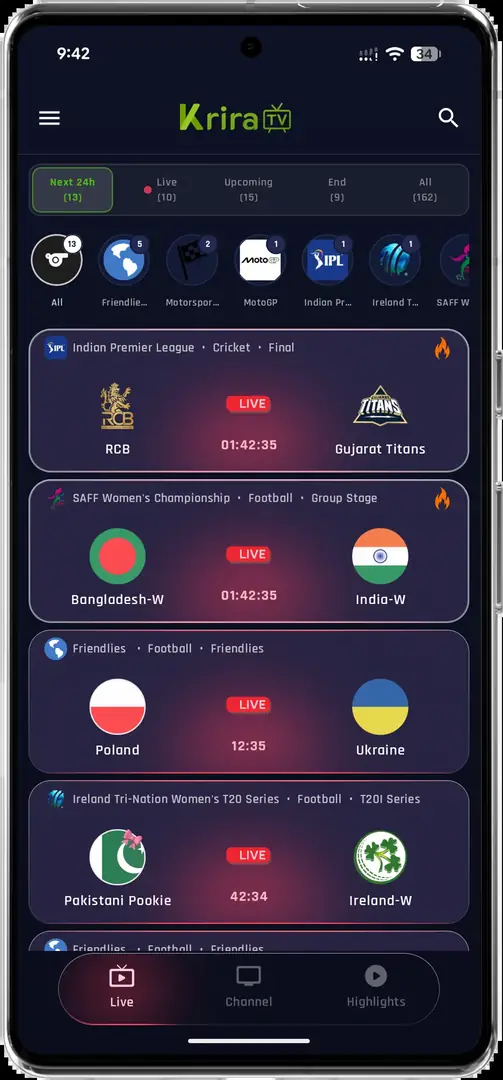
The Krira TV app APK is an Android sports streaming and highlights application. Its current interface shows event listings, channel browsing, search and a built-in video player. Because the APK is distributed outside Google Play, this page identifies the linked file, its source, the listed version and the checks to complete before installation. The associated release page listed version 6.2.6 on July 30, 2026. Two linked mirrors returned the same 11,652,593-byte file and SHA-256. A matching hash confirms byte consistency, not safety, publisher ownership or content rights.
Independent-site noticeKrira TV Wiki is not the app publisher and does not describe itself as the official Krira TV website. The download button points to a mirror linked by the publisher-associated release page.
Download the source-linked APK
02
Krira TV app APK features in v6.2.6
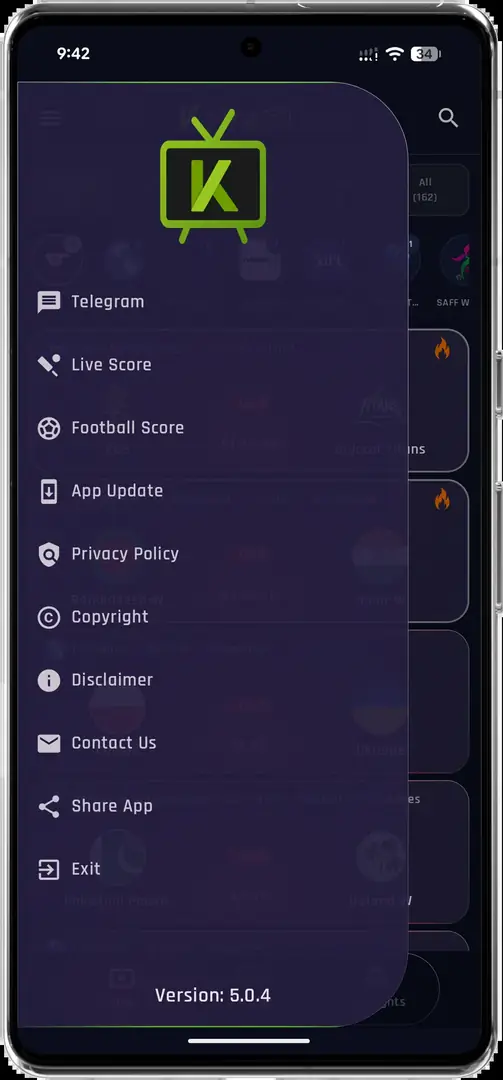
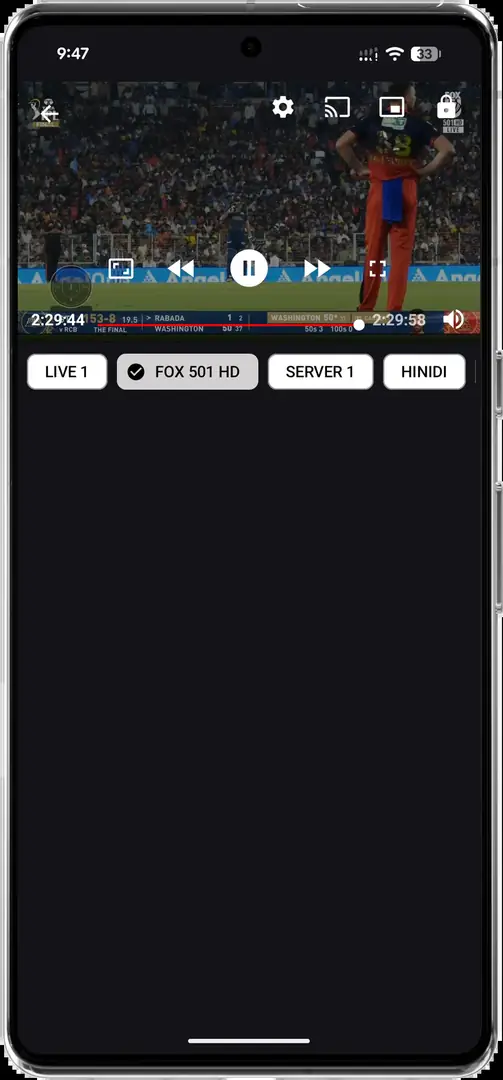
The Krira TV app APK screenshots show a compact interface for finding listed events, channels and highlights. Availability remains dynamic: an interface feature can exist while a particular match, channel or server is unavailable. The linked v6.2.6 notes mention live-score notifications, selectable quality and stream-loading changes; these are source-provided notes, not independently reproduced performance tests.
Event discovery
Browse scheduled and currently listed sports events from the main screen.
Built-in player
Open available content in portrait or landscape playback views.
Search and channels
Use the visible search and channel navigation to find listed content.
Quality choices
The v6.2.6 release notes list Auto, 480p, 720p and 1080p quality selection.
How to download and install Krira TV app APK
Android treats the Krira TV app APK as a sideloaded application. Modern Android versions normally grant install permission to the specific browser or file manager in use. Grant access only for this installation, then turn it off. Before opening the file, confirm the app-release.apk name, approximately 11.11 MB size and SHA-256 shown above. Delete any mismatched download and never disable Play Protect merely because a website asks.
- Download the APKUse the download button on this page and wait for the source review countdown to finish.
- Check the fileConfirm the file name, size and SHA-256 before opening the installer.
- Allow this sourceWhen Android prompts you, permit your current browser or file manager to install this app.
- Review and installRead Android's installer screen and requested permissions, then choose Install only if the details look expected.
- Remove temporary permissionAfter installation, return to Settings and disable install permission for that browser or file manager.
Installation blocked?Do not bypass a security warning you do not understand. See the troubleshooting section below or compare the downloaded hash with the value on this page.
Start the 15-second download
04
Android, TV, PC and iPhone compatibility
The Krira TV app APK can install on compatible Android phones, tablets and some Android-based TV devices. It cannot install natively on Windows, macOS, iPhone or iPad. Windows users need an Android emulator; Android TV users must test remote navigation; iOS users need a separately verified native release because Apple devices do not execute APK files.
05
What is new in Krira TV v6.2.6?
The v6.2.6 source notes list live-score notifications, Auto/480p/720p/1080p quality choices, updated match cards, stream-loading fixes and a smaller package. We have not reproduced every scenario, so these remain release-source notes. Older searches mention v5.0.4 and a third-party archive lists v5.0.6; neither should be labelled current while the linked source presents v6.2.6.
- Live-score notifications listed for followed teams.
- Auto, 480p, 720p and 1080p quality options listed.
- Updated match cards and team logos.
- Stream-loading changes for slower connections.
- Release page states that the package size was reduced.
Freshness recordLatest-version wording on this site refers to the version shown by the linked release source on July 30, 2026. Check version history for the evidence boundary.
06
How to update Krira TV and fix common APK errors
To update without deleting local data, install the newer Krira TV app APK over the existing app. Android accepts an in-place update only when package identity and signing certificate match. An install or parse error can indicate a different signature, incomplete download, old Android version, insufficient storage or device policy. Re-download, compare the hash and do not uninstall first unless you accept possible data loss.
If an Android TV device needs an update, keep the same package and signing line, compare the file details, and use the dedicated Krira TV update guide or Android TV setup guide for device-specific steps.
- Hash mismatch: delete the file and download it again.
- Parse error: check Android version, free space and download completeness.
- Signature conflict: verify that the update comes from the same release line as the installed app.
- App opens then closes: restart the device, clear temporary cache and confirm the release supports your Android version.
- Streams do not load: test another network and remember that server or rights availability can change independently of the APK.
Need the full process?Use the dedicated Krira TV update guide before uninstalling or replacing an existing build.
07
APK safety, permissions and responsible use
No independent website can guarantee that a sideloaded APK is safe. Publishing the source path, byte size, check date and SHA-256 reduces uncertainty but does not create a security certification. Keep Android and Play Protect enabled, review permissions and use a scanner you trust. Streaming rights vary by country, event and provider; installing the Krira TV app APK does not grant access rights.
- Keep device security features enabled.
- Compare the SHA-256 after downloading.
- Review permissions before first use.
- Do not enter sensitive credentials into an app you cannot verify.
- Use content only where you have lawful access.
How we evaluate download linksRead our Download Policy for source selection, hash checks, corrections and removal rules.